


Dynamic QR code generation
Create a fresh QR code for every order with the amount and reference already filled in, so customers don't have to type anything.
Smart dynamic QR payment solutions
Simplify payment collection with InstaUPI's dynamic QR code solutions. Generate payment QR codes, streamline transactions and bring payment workflows into your business.
Interface shown is illustrative.
How it works
From checkout to confirmation, every order gets its own QR code and its own status update.
Customers pick products or services and proceed to checkout on your website, app or counter.
A unique payment QR code is generated for that transaction, carrying the exact order amount.
Customers scan the QR code with their preferred supported UPI app and approve the payment.
The system checks the payment status and shares updates through your configured integration.
Features
The building blocks for QR-based collection, whether you run a single counter or a full online storefront.
Create a fresh QR code for every order with the amount and reference already filled in, so customers don't have to type anything.
Keep a fixed QR at your counter for walk-in payments where the customer enters the amount.
Built around standard UPI QR codes, so customers can pay using supported UPI apps they already use.
Request QR codes and check payment status from your own backend with straightforward REST calls.
Know whether an order is pending, successful or failed without checking statements by hand.
Receive status events at an endpoint you choose and update orders automatically.
Clear request formats, sample code and a test-first workflow make setup predictable.
Show the same kind of QR on websites, apps, TV screens, POS displays and kiosks.
Use cases
Wherever a screen can show a QR code, your customers can pay.
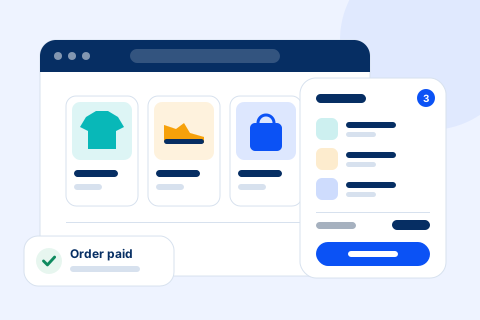
Show a dynamic QR on your payment page and let order status update once the payment is confirmed.
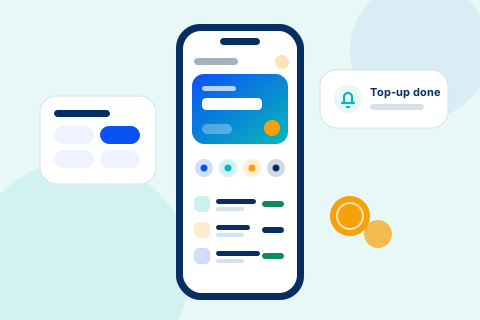
Generate payment requests from your app backend for orders, top-ups or in-app purchases.

Viewers scan from the couch to unlock plans or premium content.

Display the bill amount as a QR at the counter to cut manual entry errors.
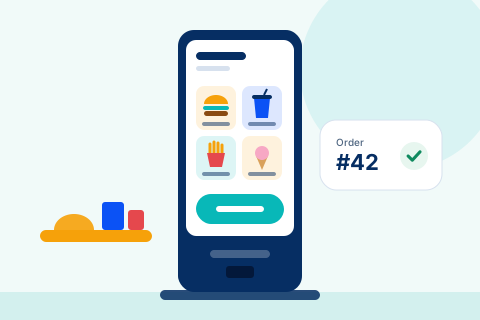
Contactless payments at ordering kiosks, vending points and parking terminals.

Send a fresh QR for each plan purchase or renewal and track it per customer.
Built for business
Give your customers a convenient way to pay while simplifying how your business collects payments.
Fewer steps between "place order" and "paid".
Start with QR codes, then connect APIs as you grow.
Order status follows the payment, not a spreadsheet.
The same flow for one counter or many channels.
For developers
Request a QR code, show it to your customer, then listen for the status update. That's the whole loop.
JSON over HTTPS from any language or framework.
Request formats, field references and examples in one place.
Helper libraries where available to speed up common tasks.
Status events posted to your server as payments change.
Test your flow before going live, with help from our team.
// Illustrative example. See the official InstaUPI API docs.
curl -X POST \
  'https://domain.com/api/v2/Transaction/InitiateTransactionAsync' \
  -H 'X-Auth: Bearer YOUR_USER_TOKEN' \
  -H 'Content-Type: application/json' \
  -H 'Accept: application/json' \
  -d '{
    "requestedId": "ORDER1001",
    "amount": 1.00,
    "upiId": "merchant@upi",
    "serverHookURL": "https://yourdomain.com/api/payment/server-hook",
    "webHookURL": "https://yourdomain.com/api/payment/web-hook"
  }'
// Illustrative example. Field names may differ in the live API.
Webhook Response:

curl -X GET \
  'https://yourdomain.com/api/v2/Transaction/Webhook?tid=123456&amount=1.00&requestedId=ORDER1001&status=FAILED&utr=123456789&paymentApp=PhonePe&payerVPA=customer%40upi&payerName=TestUser&payerPhone=9876543210&merchantName=TestMerchant&logo=https%3A%2F%2Fyourdomain.com%2Flogo.png' \
  -H 'Accept: application/json'

ServerHook Response :

curl -X GET \
  'https://yourdomain.com/api/v2/Transaction/ServerHook?tid=1323144&amount=1.00&requestedId=ORDER1001&status=F&payerVPA=customer%40upi&payerName=TestUser&payerPhone=9876543210&paymentApp=PhonePe&utr=123456789&time=28%20Feb%202024%2016%3A03%3A30%3A760&merchantName=TestMerchant' \
  -H 'Accept: application/json'
// Illustrative example. See the official InstaUPI API docs.
curl -X GET \
  'https://domain.com/api/v2/Transaction/Status?RequestedId=ORDER1001' \
  -H 'X-Auth: Bearer YOUR_USER_TOKEN' \
  -H 'Accept: application/json'
Sample code for illustration. It does not call a live InstaUPI service.
Why InstaUPI
One flow for creating requests and tracking what's been paid.
Customers scan and pay with apps they already trust.
Fits websites, apps and counters without rebuilding your stack.
Status updates move orders forward without manual checks.
Predictable requests and sample code your team can follow.
Reach our team by phone or email when you need help.
About us
InstaUPI is built on a simple idea, captured in our line "Fatafat scan, instant pay!" Paying should take a scan, and collecting should take even less effort.
We build QR-based payment tools that help businesses move away from manual amount entry, scattered screenshots and end-of-day reconciliation. Whether you sell online, run a store counter or operate kiosks, our goal is to give you a cleaner way to request payments and know when they're complete.
We focus on accessible technology that small teams can set up and growing teams can scale, with support from people who understand how Indian businesses collect payments every day.

FAQ
Can't find what you're looking for? Our team can help with setup and integration questions.
InstaUPI provides QR-based payment collection tools for businesses. It helps you generate dynamic and static UPI QR codes, connect them to your website or app, and receive payment status updates through your integration.
A dynamic QR code is created for a single transaction and carries details such as the amount and a reference for that order. When the customer scans it, their UPI app shows those details, so they only need to confirm the payment. The payment status can then be matched back to the right order.
Yes. InstaUPI is designed to work with websites, mobile apps and other platforms through API-based integration. Our team can share documentation and guide you through setup for your specific platform.
InstaUPI uses standard UPI QR codes, which are designed to be scanned by UPI-enabled apps. App behaviour can vary, so please contact our team if you need confirmation for a specific app or use case.
Create an account or send us a message through the contact form below. We'll help you understand the setup steps, the information required and the integration option that fits your business.
Email us at support@instaupi.in, call +91 90909 21513, or use the contact form on this page.
Contact
Tell us about your business and how you collect payments today. We'll get back to you by email or phone.
Explore smarter QR-based payment collection with InstaUPI and create a smoother payment experience for your customers.